Built for restaurants, bars, cafés and tapas teams

QR ordering, POS and kitchen display ready in minutes.

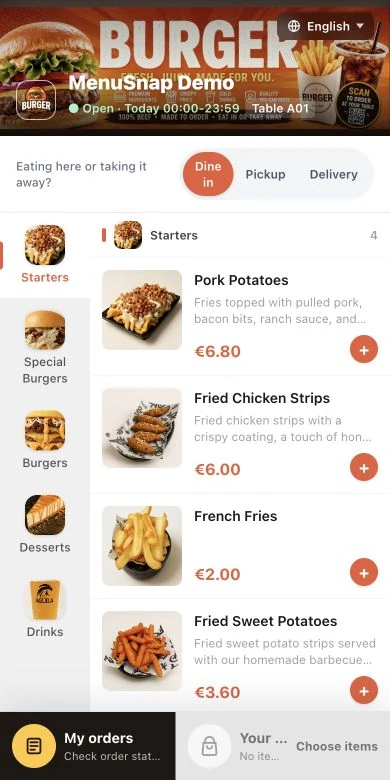
Guests scan and order from the table in their own language. Orders go straight to your cashier, kitchen display or printer. Import your existing menu and start in about 10 minutes — no new hardware, 0% commission, from €9.90/month.

Import your existing menuQR ordering in about 10 minutesNo new hardware · 0% commission
MenuSnap live demo QR code
Scan to try
demo.menusnap.com
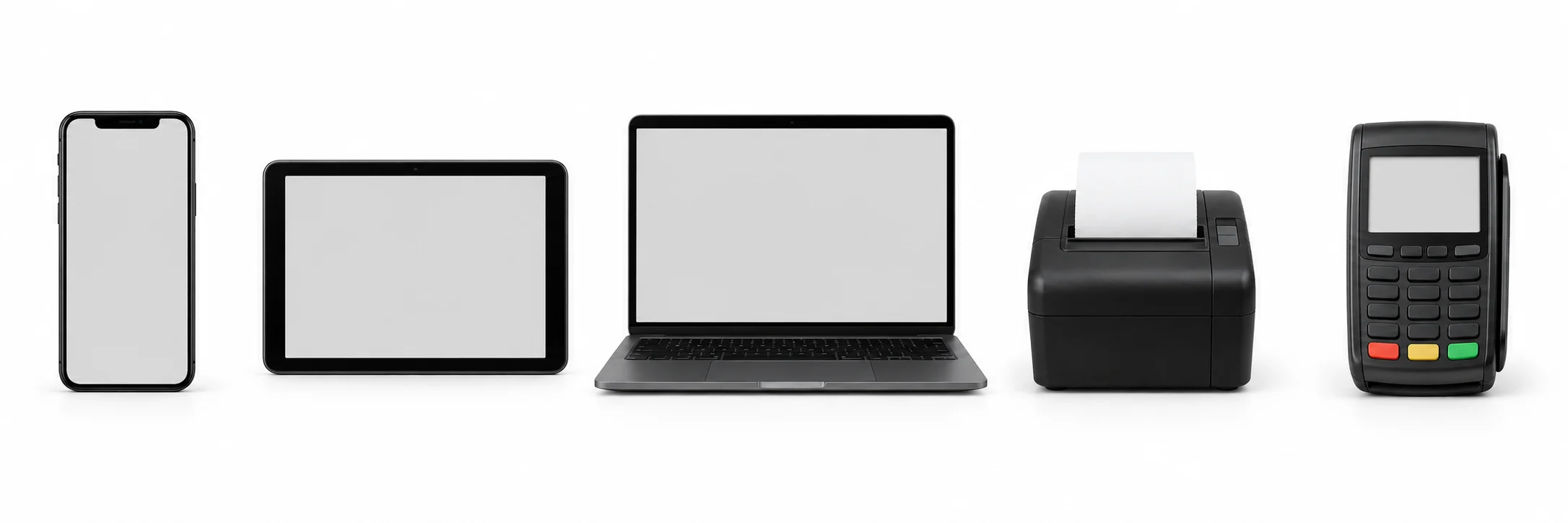
Use the devices you ownPhones, tablets, Mac or PC. Keep your current card terminal and add screens only where needed.
Keep every order euroMenuSnap uses subscription pricing with 0% order commission.
Paper menu to QR orderingUpload a photo or PDF, approve the import, print table QR codes and start.
Serve tourists in 26 languagesGuests understand dishes, options and allergen notes without waiting for staff to translate.

From your current menu to QR ordering in about 10 minutes

Start with the paper menu, PDF or spreadsheet you already use. No technician, installation project or manual retyping of every dish.

1

Upload your menu

Take a photo of your paper menu or upload a PDF or spreadsheet. No typing every dish by hand.

2

AI prepares it, you approve

Dishes, prices and 26 languages are generated for you. Review and edit everything before guests see it.

3

Print QR codes and start

Print a code for each table or zone. Guests scan and order, and the cashier and kitchen receive every ticket.

Built for a busy service

Less waiting at the table. Fewer missed tickets in the kitchen.

MenuSnap reduces repetitive order-taking work without forcing the restaurant to replace everything at once.

01
Guests wait to order or reorder.
Guests order when they are ready.Fewer manual ordering tasks during peak service.
02
Staff translate menus table by table.
Tourists order in their own language.26 languages for dishes, options and allergen notes.
03
Handwritten notes cause mistakes and missed orders.
One structured ticket reaches POS and kitchen.Table, items and notes stay attached to the order.
04
Dedicated POS hardware raises the cost to start.
Use the devices already in the restaurant.Add screens or printers only when they are needed.
One connected order

From the guest's phone to the kitchen — without retyping the ticket.

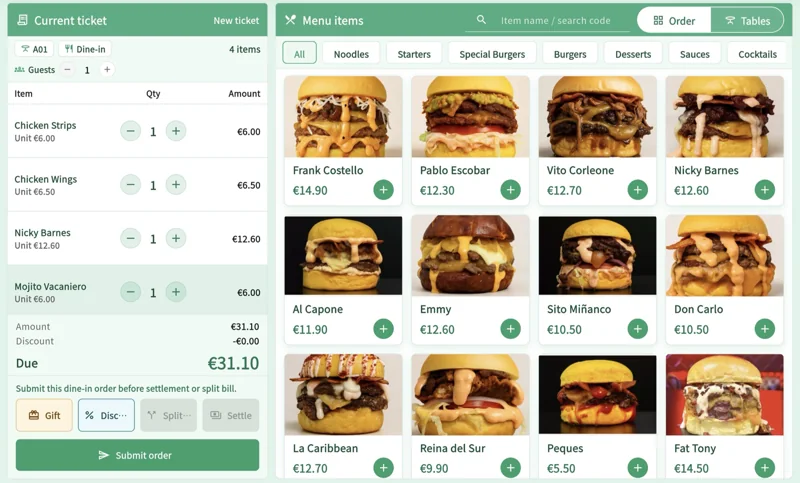
QR orders and staff orders share one path. The table context, items and notes remain connected from ordering to payment and preparation.

01
Guest ordersNo app download

Guests browse, choose options and reorder from their own phone in the language they understand.

02
POS receives itTable and notes included

Staff can add items, record cash or card-terminal payments, settle the table and keep receipts together.

03
KDS prepares itOr print a kitchen ticket

The kitchen receives a clean, structured ticket on a KDS screen or printer, with no handwritten handoff.

Keep your current card terminalKitchen and receipt printingTables, zones and menú del díaOffline POS support on paid plans
Multilingual + AI menu

Upload the menu you have. Review it in 26 languages.

MenuSnap's AI structures dishes, translates descriptions and can improve dish photos. Nothing is published until you review and approve it, and every field remains editable.

  • Import photos, PDFs or spreadsheetsNo need to type every category, dish and price again.
  • Translate once, update everywhereGuests choose their language from the same digital menu.
  • Improve dish presentationOptimise menu images without making the guest page feel heavy.
Menu importReady to review
menu-verano.pdf8 categories · 64 dishes detected
Imported
DishSourceEnglishStatus
GazpachoSopa fría de tomateCold tomato soupApproved
Pulpo a la gallegaPulpo, pimentón...Galician-style octopusReview
Tarta de quesoTarta cremosa...Basque cheesecakeApproved
Menu languages
ESENFRDEIT+21

You approve every translation before guests see it.

Start without buying a new POS setup

MenuSnap runs in the browser and works with everyday devices. Keep the card terminal and compatible printers you already use, then add dedicated screens only where they make sense.

PhoneOwner or staff use
iPadCashier or service
Android tabletKDS or POS
ComputerDashboard and POS
Mac or PCBrowser-based tools
PrintersKitchen or receipts
No proprietary terminal bundleStart small instead of committing to an expensive hardware rollout.
Keep your current payment workflowContinue using your existing card terminal and record the payment in MenuSnap.
Add equipment only when neededUse an extra KDS screen or printer when service volume justifies it.
Download MenuSnap POSOpen POS in browser

Android and macOS downloads, or use POS Web without installing anything.

Simple subscription pricing. 0% order commission.

Start free, then upgrade when the operation needs more staff, terminals, menus or AI usage. Every plan can be cancelled anytime.

Founder Plan · first 1,000 restaurants

Starter for €9.90/month while you stay on Starter.

The standard price is €19.90/month. Founder restaurants keep the lower rate while the Starter subscription remains active.

0% commissionNo special hardwareCancel anytime
Free

For testing the QR ordering flow in a small operation.

€0/ month
1 store · 1 staff account · 1 separate menu
  • QR ordering for dine-in and pickup
  • Basic cashier and print tasks
  • Guest feedback and basic reports
  • Limited AI translation, image and import allowance
  • Online payments are not included
Start free
Pro

For established single-site restaurants and growing teams.

€49/ month
€490/year · 1 store included · extra stores €15/month
  • Unlimited staff and up to 5 cashier terminals
  • Delivery for merchant-run fulfilment
  • Promo codes, advanced reports and CSV export
  • Full member and points capability
  • Monthly AI allowance: 500 translations, 100 image optimisations, 10 menu imports
Choose Pro
Premium

For higher-volume restaurants and multi-location operators.

€99/ month
€990/year · 3 stores included · extra stores €10/month
  • Unlimited staff and cashier terminals
  • Higher-priority support for busy teams
  • Advanced reports, exports and multi-store operations
  • Monthly AI allowance: 1,000 translations, 500 image optimisations, 20 menu imports
  • Built for teams that need more locations, usage and support capacity
Choose Premium

Dish counts are not capped. Plan limits apply to separate menus, staff, terminals, stores and AI usage. Enterprise plans are available for chains, custom deployments, white-label requirements and integration-heavy projects.

FAQ

Start small, test the flow and keep control.

No forced marketplace model, unnecessary hardware bundle or percentage taken from each order.

Can a restaurant import an existing menu and launch QR ordering in about 10 minutes?

Yes for the basic flow: create the restaurant, upload a paper menu photo, PDF or menu text, generate table QR codes and start testing guest ordering. Larger menus, printer setup and payment provider configuration can take longer.

Do I need new hardware?

No proprietary hardware is required to get started. Use MenuSnap on existing phones, tablets, laptops, Mac or PC, and connect printers or card terminals where they fit your operation.

Is QR ordering really commission-free?

Yes. MenuSnap uses subscription pricing and does not take a percentage of each order. Your restaurant keeps the order revenue.

Is the Starter founder price permanent?

The Starter founder price is intended for the first 1,000 founder restaurants and remains while you keep Starter. If you upgrade, downgrade, cancel or resubscribe later, the public standard price at that time may apply.

How does the multilingual menu help with tourists?

Guests can choose their language, read dish names and descriptions, understand options and see allergen notes. Staff spend less time translating the menu during service.

Does MenuSnap include POS, KDS and kitchen printing?

Yes. QR and staff orders can update the cashier, reach a kitchen display or kitchen printer, and remain attached to the correct table or service area.

What happens if the internet connection drops?

On paid plans, the counter can keep recording cash and card-terminal sales during an outage and sync them when the connection returns. Guest QR ordering requires an internet connection.

Can I cancel anytime?

Yes. All plans are subscriptions with no long-term contract. You can cancel whenever you want.

Turn the menu you already have into your first QR order.

Basic setup in about 10 minutes · 0% order commission · Founder Starter price €9.90/month for the first 1,000 restaurants · cancel anytime.

Start freeLive demo